
AI agents for business: enterprise agentic systems on European cloud or on-premise
An AI agent does not answer a question: it completes a job. It reads the transcripts of a negotiation and writes the proposal. It screens fifty CVs against a job posting. It searches an external registry for the tenders that fit you. It fills in a certification questionnaire. It does so autonomously, inside a safe perimeter, with your documents and your systems.
AIDeskPro Everything is the agentic version of AIDeskPro: included in every plan, hosted in Europe with zero data retention, also available on-premise. This page explains what it is, how it works, what it produces and how you govern it.
What an AI agent is (and what sets it apart from a chat)
Anyone who has used a language model knows the chat: you write, you read the answer, you write again. The initiative is always yours. An AI agent flips the pattern: it receives a goal, enters a loop (observe, decide, act, verify) and keeps going until the job is done or until it meets something that needs a human decision.
Two things define it: autonomy in choosing actions and an explicit stop condition. Without the first it is a chat; without the second it is a process that never ends.
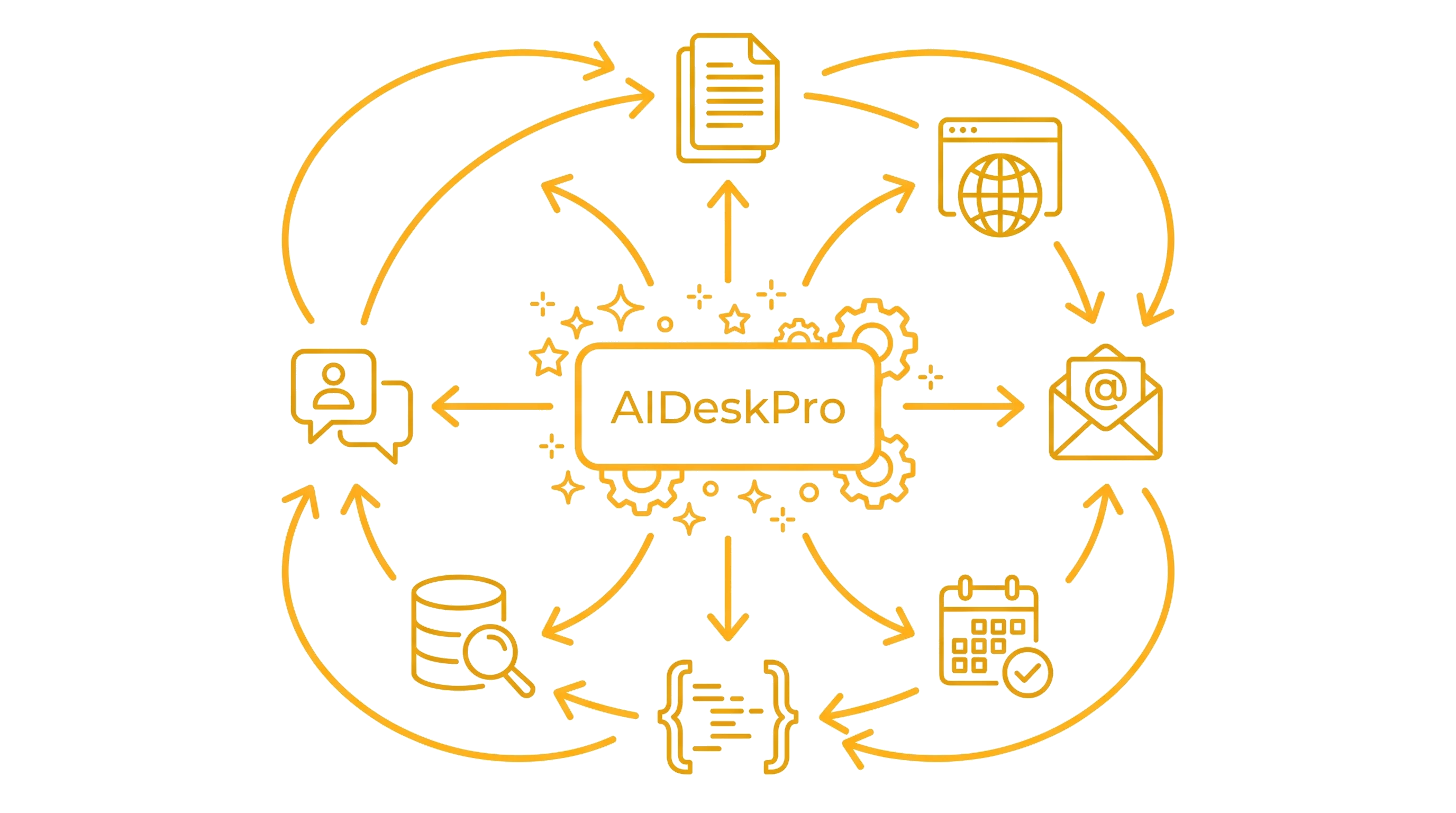
That is why an enterprise agentic system is not “a chat with more tools”. It needs a perimeter where the agent can act without asking permission at every step, tools to read from and write to company systems, a memory that survives long jobs, independent checks and a way to involve the right person when needed. AIDeskPro brings all of these pieces together.
Chat, RAG or agent?
Chat. One question, one answer. Great for writing, summarising, translating, reasoning about a text you hand it.
RAG (document indexes). The chat searches your documents before answering. Great for finding information in company knowledge, manuals, policies.
Agent. It receives a mandate and delivers a finished result: a proposal in PDF, an evaluation table, an updated website, a completed form. It uses the chat to reason, the indexes to research, databases and external services to act.
In AIDeskPro the three levels live in the same tool: you start with the chat, build the indexes, and when a task requires hours of repeatable work you hand it to an agent.
How an agent works in AIDeskPro Everything
Isolated sandbox
Tools and MCP connectors
Memory, phases and checks
Reusable configuration
Console and workspace
The human in the loop
A concrete example
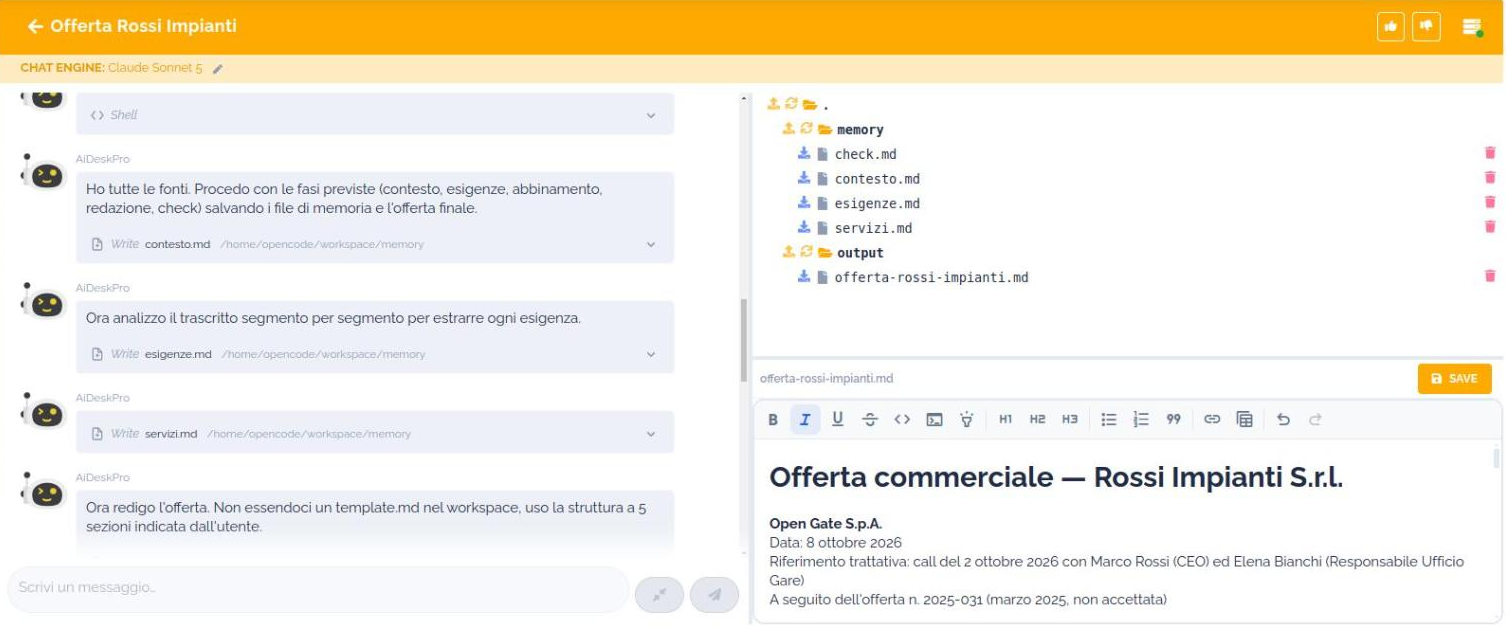
A sales agent has three indexes: the transcripts of the calls with the customer, previous proposals, the service catalogue. The mandate: “prepare the proposal for this customer”.
The agent frames the context, asks the salesperson what the documents do not say (maximum discount, start dates), reads every transcript in full segment by segment, matches each requirement to a catalogue service at list price, and drafts the proposal in the company format. A check at every phase: no requirement without a match, no price outside the catalogue. The salesperson downloads it from the workspace, reads it and sends it.
What agents do, in practice
Sales proposals
CV screening
Tenders and calls
Certifications and assessments
Content and CMS
Reports from databases
Autonomy inside a perimeter: governance and security
An agent that acts on its own raises different questions from a chat: where it works, what it can touch, who can use it, how much it costs, what happened. AIDeskPro answers each one.
- Where it works. In an isolated sandbox, in the cloud project dedicated to your company, in Europe (Google Cloud or Scaleway, Milan included). Or on your servers, with the on-premise versions.
- Where the data goes. Default models use European endpoints with zero data retention and do not train on your content. Models with global endpoints are labelled “NO EU” and are chosen only explicitly.
- What it can touch. Only the resources you assign: those indexes, that database, that external service. Nothing else.
- Who can use it. Each configuration is private, read-only or public, and is shared with individual users or groups. Access is via SSO (Azure AD, Google) or managed credentials.
- Which models. Administrators decide which LLMs are available to which groups, from the model permissions section.
- How much it costs. Daily cost dashboard, filterable by user label, with spending thresholds and alerts.
- What happened. The console keeps every step of every execution; the agent’s memory records plan, progress and decisions. It is the traceability you also need to document the use of AI in your company.
Included in every plan
Business
Advanced
Premium
Enterprise
Where to start
1. Chat and indexes
2. The first agent
3. Agents on your systems
Frequently asked questions about AI agents
The questions companies evaluating an agentic system ask us most often: what changes compared to a chat, where the data goes, what happens when something goes wrong, how much it costs.
If yours is missing, write to us: sales@opengate.biz .